 Employee Device Management
Manage Employee Devices and Productivity From One Powerful Platform
Manage every employee device and monitor complete employee productivity from the same platform. Monitor360 connects device control, updates, and employee activity tracking into one dashboard, so IT and management never have to switch between separate tools.
Start A 7 Day Free TrialNo credit card required
5 Min Easy Setup

 Work Device Management
What Is Employee Device Management Software?
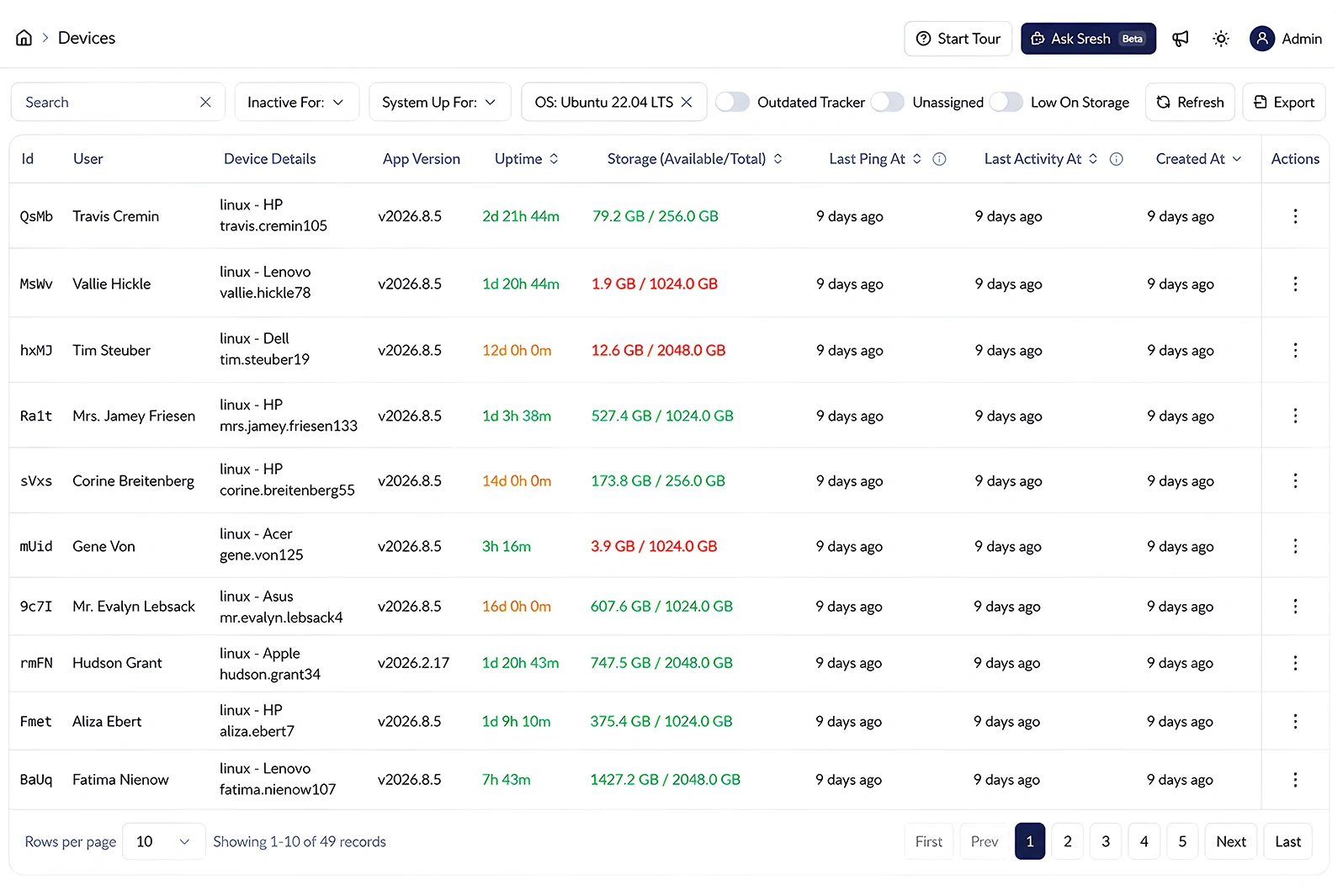
Employee device management software helps businesses manage employee devices and monitor work activity from one place. With Monitor360, admins can see which device is assigned to each employee, check device status and versions, and manage device information without switching between different tools.
It gives IT teams and managers a clear view of who is using which device, whether it is up to date, and how it is being used. This makes device and productivity management easier for remote, hybrid, and in-office teams.
 Key Features
Powerful Monitor360’s Employee Device Monitoring Features
Manage every device your team uses from one screen. Map devices to users, reassign them when teams change, and remove old devices without disrupting existing data.
One-Click Updates
Push software and version updates to any employee computer device instantly, without walking to a desk or waiting on the employee to install it manually.
Real-Time Version & Status Tracking
See exactly which employee computer devices are current, outdated, or need attention, right from the main dashboard.
Cross-Platform Support
Works across Windows, macOS, and Linux, and is optimized for Intel, Apple Silicon, and ARM hardware so mixed-OS teams stay covered.

Offline Activity Recording
Device activity keeps recording even without an internet connection, then syncs automatically the moment the device reconnects. No gaps in the record.


Combined Device + Productivity View
See device status and employee activity side by side, so device health and productivity are never tracked as two separate problems.


Multi-Location Dashboard
Manage devices across all your offices, remote employees, and client locations from one dashboard.
Easy Device Assignment & Ownership
Assign devices to employees during onboarding and unassign them during offboarding. Keep device ownership accurate and up to date without manual cleanup.
 Centralized Device Management
Benefits of Monitor360 Centralized Device Management
Give IT teams a single source of truth for workforce devices, helping them maintain operational consistency, reduce administrative friction, and keep device records organized as teams grow.

Support hybrid and remote teams.
Know exactly which devices are active, assigned, and up to date, regardless of whether employees work from an office, home, or a client site.
Simplify onboarding and offboarding.
Assign a device the moment someone joins, unassign it the moment they leave, no manual cleanup needed.
Improve accountability.
Every device has a clear owner and a visible update status, which makes audits and asset reporting faster.
Reduce IT overhead.
Stop managing device assignments across spreadsheets, tickets, and email threads. One dashboard replaces all three.
Keep devices current without manual effort.
One-click push updates mean outdated software doesn't sit unpatched because someone forgot to install it.
 How it works
How Device Management Works in Monitor360
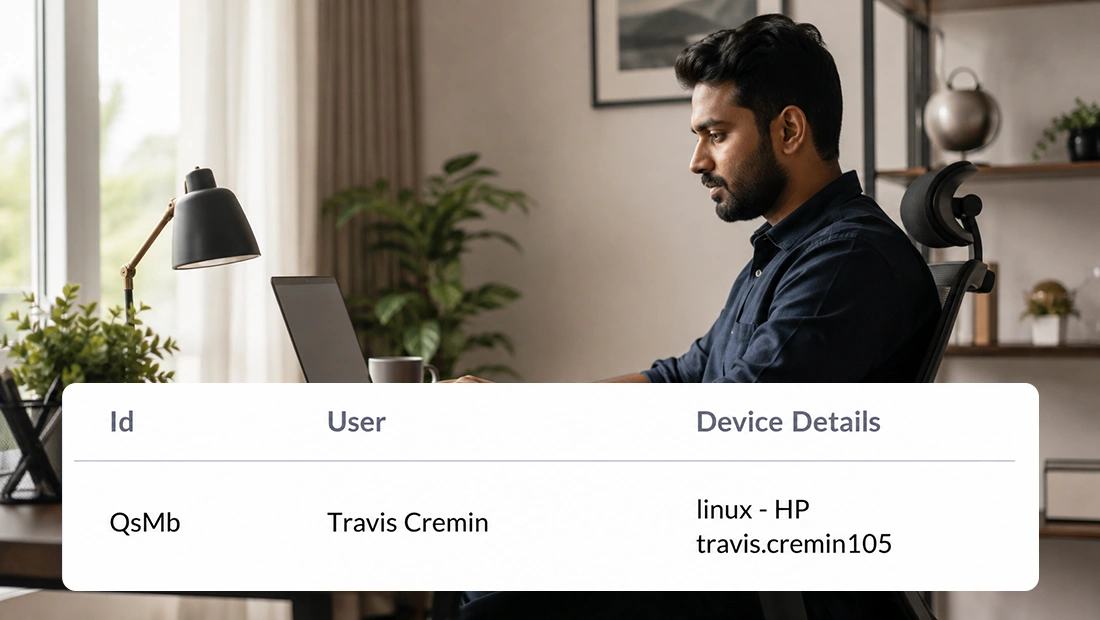
The Devices screen lets admins link a device to a specific user for accurate time and activity tracking. Once assigned, all tracking data from that device is linked to the selected user.
Install the Monitor360 agent on each employee device. Once installed, the device automatically appears in your dashboard with its version and update status.
Link each device to the right employee. This keeps device ownership clear and connects activity data to the correct user.
Check device versions and update status from the dashboard. Quickly identify devices that need an update.
Send updates to selected devices with one click. No manual installation is required on each device.
Monitor activity continuously and unassign devices when employees leave or switch machines. This keeps device records and user data organized.
 Monitor360 Features
More Ways Monitor360 Protects and Manages Your Workforce
Device management works alongside the rest of the Monitor360 platform. Explore related capabilities:
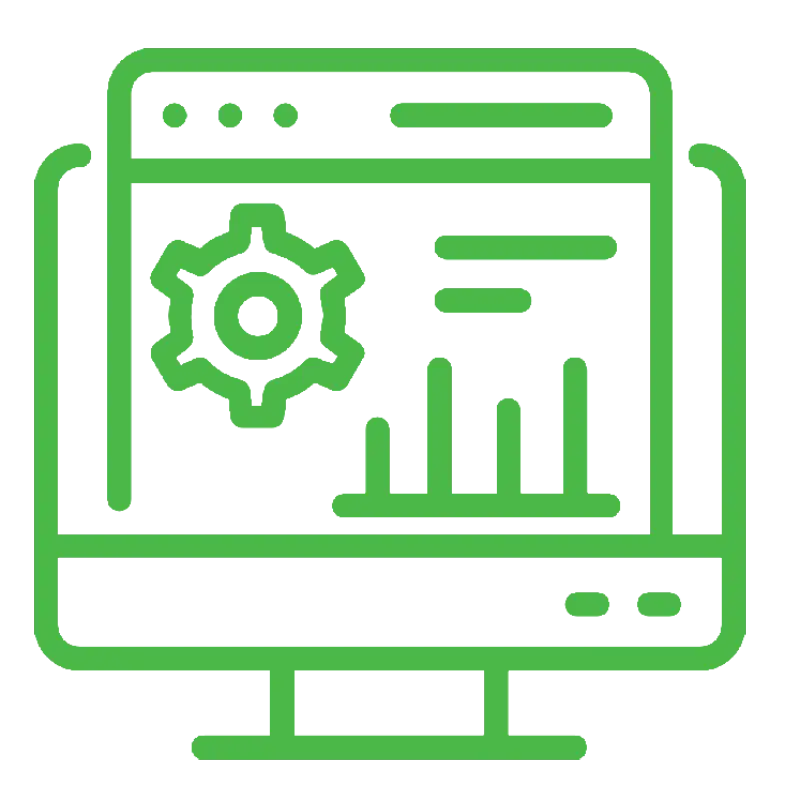
Ask about any employee, team, or device in plain language and get instant answers pulled straight from your monitoring data.

Employee Management Software
Manage employee records, roles, and shifts alongside device assignments.
Insider Threat Detection
Get alerted to unusual behavior patterns across monitored devices.

 Usecase
Who Is Device Management Useful For?
Manage employee devices across teams and locations from one place. Get clear visibility into device status, usage, and activity.
Hybrid and Remote-First Teams
Keep visibility into office, home, and client-site devices from one dashboard, regardless of where employees are working.

Multi-Branch and Multi-Location Businesses
Get a single view of device status across offices instead of relying on separate local IT processes at each location.
IT Teams and Admins
Track update status and push patches across the entire device fleet without visiting each machine individually.
IT & Software Companies
Manage development, testing, and support team devices alongside activity tracking, all in the same system.
Frequently Asked Questions
Find answers to common questions about employee management, workforce monitoring, user roles, and shift management.
Yes. Monitor360 shows the current version and update status of every registered device, so IT can spot outdated machines before they cause problems.
Admins can send updates to a device directly from the Monitor360 dashboard with a single button, without walking to the employee's desk or waiting for them to install it manually.
Yes. Devices can be linked to an employee during onboarding and unlinked during offboarding or a role change, all from the same dashboard.
Yes. Monitor360 supports Windows, macOS, and Linux, and is optimized for Intel, Apple Silicon, and ARM hardware, so mixed-OS teams are covered from one dashboard.
Monitor360 keeps recording activity offline. Once the device reconnects, all collected data syncs automatically with no gaps in the record.
Yes. Employee device management is a core Monitor360 feature. It helps leaders and managers manage company devices while tracking employee productivity from the same platform.
No. Monitor360 is scoped to work activity such as apps, time, and device events. It does not access passwords, personal accounts, or private messages.